


BeeGraphy for Subtractive Manufacturing
BeeGraphy brings parametric design to subtractive manufacturing. Configure a part once and machine any variant across CNC milling, 5-axis, EDM, laser, and waterjet. In the browser, no rebuild.
Where teams use BeeGraphy in subtractive manufacturing
With BeeGraphy, parametric design moves to the front of the subtractive pipeline. Geometry becomes logic, the part recomputes when a slider moves, and one rule-system can drive thousands of unique CNC variants. From a single-crystal turbine blade with laser-drilled cooling holes down to a CNC-routed plywood chair scripted in your browser, the same idea, scaled. The projects below show what's possible, and BeeGraphy puts that workflow in your browser.
Building-scale subtractive: timber milled to a digital terrain, foam moulds cut for GFRC casting, stone composites layered to spec. Every panel unique, generated from one parametric master and nested across the available stock.
Also reshaping
Wherever a block of material becomes a finished part, parametric subtractive applies.
One editor, from model to machined part
Collaborate on one parametric model in real time, export CNC-ready files for any machine, and sell configurable parts from the marketplace. All in the browser.
Live collaboration in browser
Designer, engineer, and CAM programmer on one model - no install, runs on tablets in the workshop. Live cursors, comments on nodes, version history.
CNC-ready exports
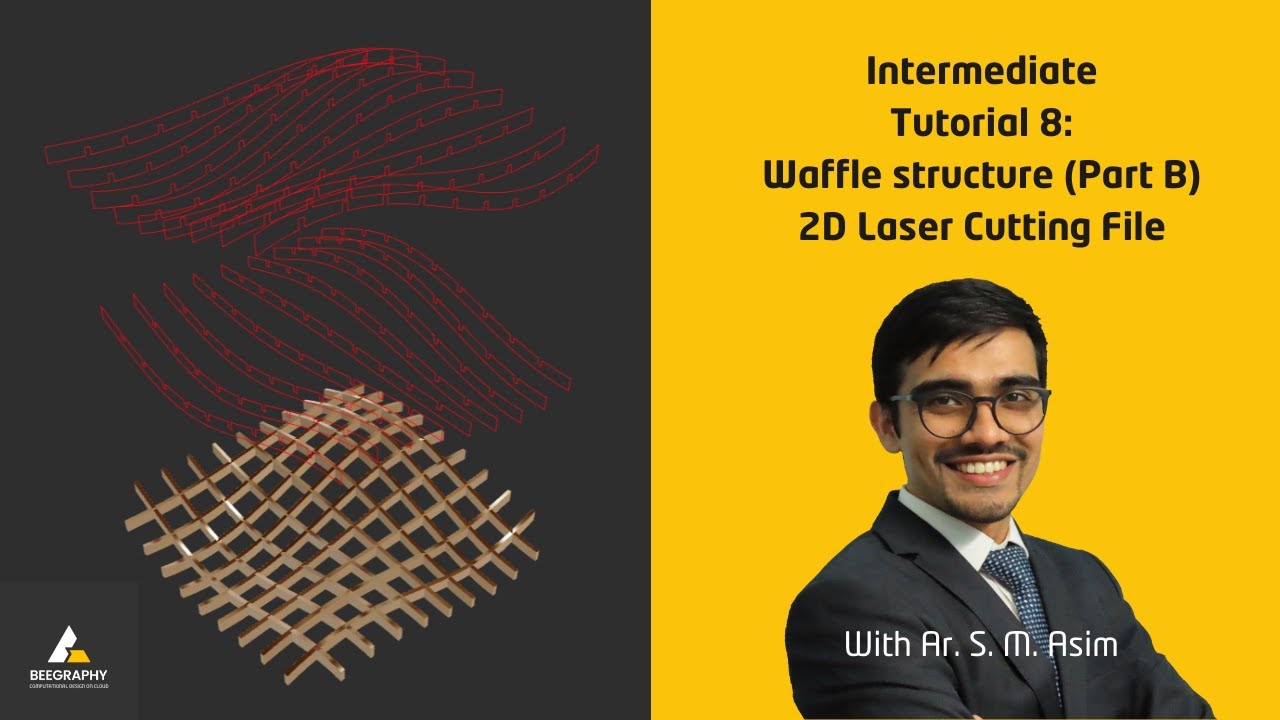
STEP, IGES, and DXF geometry plus G-code and NC from BeeGraphy's built-in CAM, or a Fusion 360-ready export. No CAD round-trip, geometry to toolpath in one place.
Marketplace + storefront configurators
Start from a vetted CNC script - parametric joinery, CNC sign, parametric chair. Tweak in browser, embed on Shopify or WooCommerce, deliver the cut file on checkout.
Define the parametric model
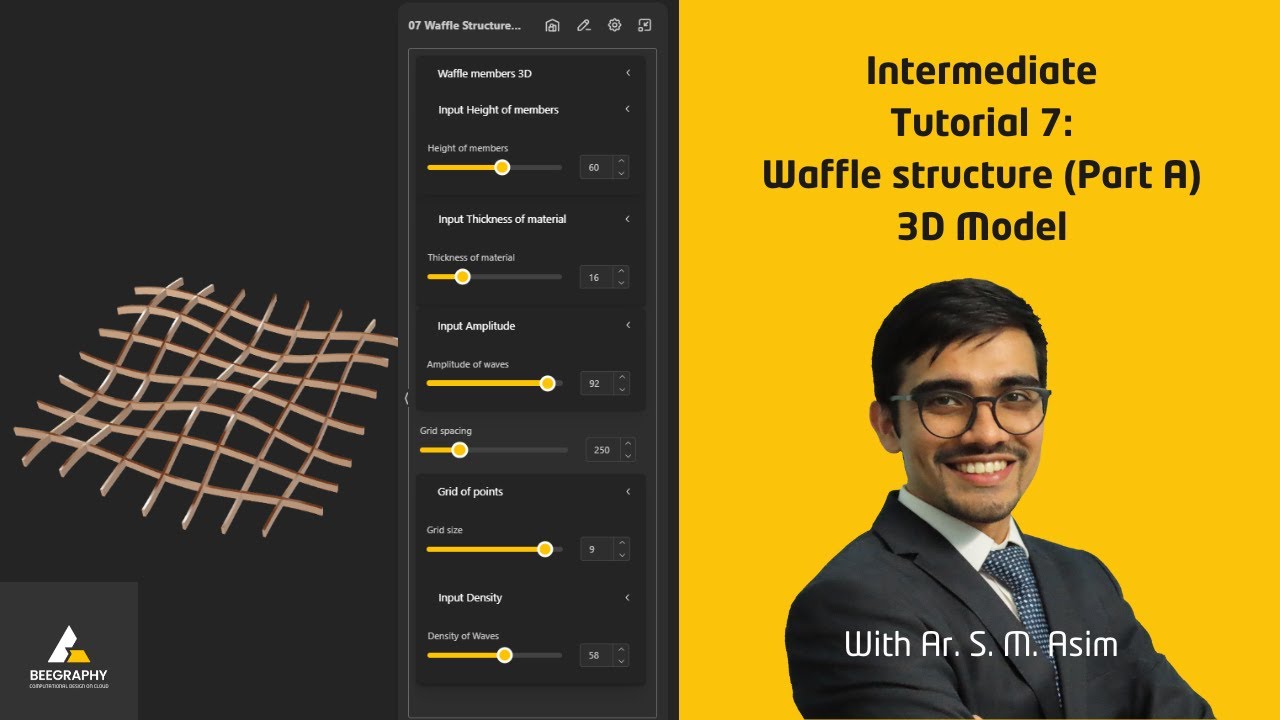
Build the geometry directly in BeeGraphy's node editor. Sliders for size, material thickness, and joinery sizing make the model a rule-system, not a fixed file.
Configure the variant
Customer (or you) picks parameters; geometry resolves on the fly. This is the parametric differentiator - one definition, every variant, no rebuild.
Generate toolpaths
BeeGraphy's built-in CAM computes roughing, finishing, and 5-axis paths from the resolved model and your tool library, or export a Fusion 360-ready file. Sheet-stock nesting fits inside this step.
Simulate & verify
BeeGraphy's CAM path simulation checks collisions, tool reach, and surface finish before any chip flies. Tolerances are caught against the parametric source.
Run on CNC
Post-processed G-code drives a router, mill, lathe, EDM, or waterjet. CMM-measured QC feeds back to step 1, and the next variant is one slider away.
Drag a slider - the geometry, the stock layout, and the part dimensions update live. No install required.
The parametric design platform built for subtractive manufacturing - in your browser.