


BeeGraphy for Additive Manufacturing
BeeGraphy brings parametric design to additive manufacturing. Build lattices, custom-fit parts, and mass-customizable products as rules, then export print-ready files for any 3D printer. In the browser, with your team.
Where teams use BeeGraphy in additive manufacturing
With BeeGraphy, additive manufacturing teams design like a print job. Lattices that vary in density per stress region, products that reshape to a customer's scan, jewelry that grows from a rule rather than a sketch, all of it depends on geometry described as logic, not a fixed mesh. The projects below show what parametric AM makes possible, and BeeGraphy puts that workflow in your browser.
Topology-optimized parts that match the strength of solid metal at a fraction of the weight. Density varies per stress region, walls thin out where they can, supports grow where they must - only viable when the geometry is parametric and re-runnable against simulation.
Also reshaping
Anywhere geometry is data, parametric AM applies.
One editor, from model to printed part
Collaborate on one parametric model in real time, export print-ready files for any printer, and sell configurable parts from the marketplace. All in the browser.
Browser-native, in real time
Designer, engineer, and manufacturer on one model - no install, runs on tablets in the workshop. Live cursors, comments on nodes, version history.
Print-ready exports
Direct STL, OBJ, STEP, and DXF, plus GCode and NC files. No CAD round-trip, no manual mesh cleanup. Generate the geometry, hand off the file.
Marketplace + configurators
Start from a vetted lattice, voronoi, or gyroid script. Embed configurators on Shopify or your own site - dynamic pricing per geometry, file delivered on checkout.
Parametrize
Define the geometry's variables in the visual node editor - dimensions, lattice density, infill gradients, wall logic, fit constraints. Inputs become a live model.
Generate
Apply lattices, shells, topology optimization, voronoi, gyroid, and tessellation operators. Sweep parameter ranges and pick the variant that meets weight, strength, and material targets.
Validate
Preview every change live as you adjust parameters, and sweep ranges to compare variants before export. What you see in the editor is exactly what exports.
Export
One-click STL, OBJ, STEP, and DXF, plus GCode and NC files. The same parametric model exports a high-res mesh for SLA or a STEP solid for SLM.
Take the exported file to any slicer and printer across FDM, SLA, SLS, MJF, or DMLS. Embed a configurator on your storefront and the file is generated per order, on demand.
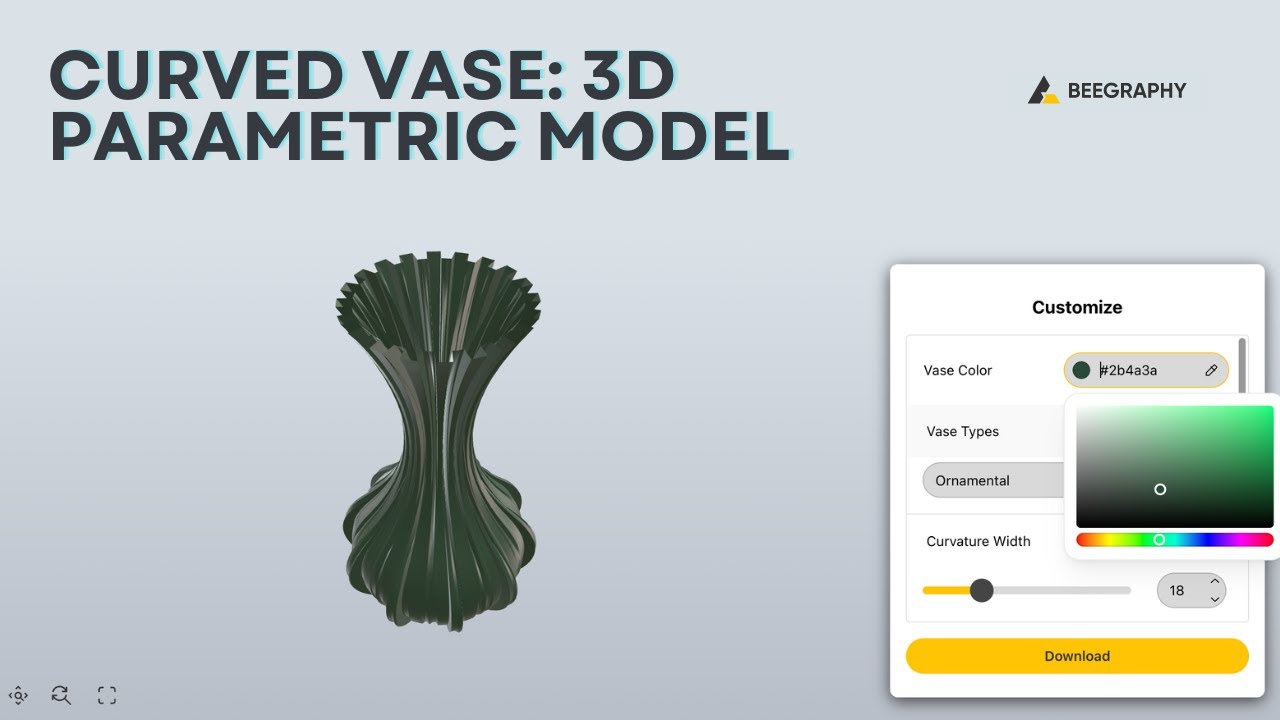
Drag a slider and the geometry updates live. No install required.


The parametric design platform built for additive manufacturing - in your browser.